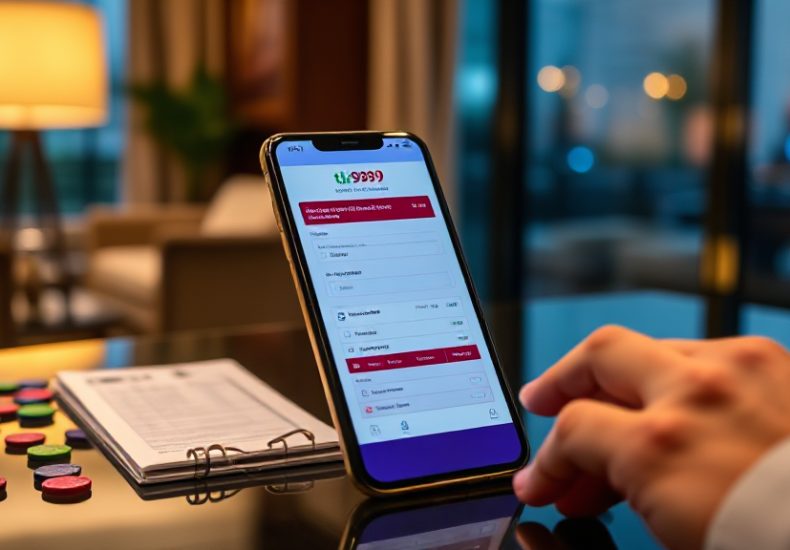
What Should a Beginner Check Before Using tk999?
What Should a Beginner Check Before Using tk999?
You have heard about tk999 from friends or seen the app mentioned in a group chat, and now you are staring at the sign-up screen wondering what to do first. The problem is not that information is missing; it is that most beginners jump straight into registration without checking the basics, then get confused about verification, payments, or app permissions later. This checklist is the same one I walk new users through in training sessions: requirements first, then the procedure, then the checks that catch mistakes before they cost you time.
What you need in place before you touch the sign-up form
Preparation separates a smooth start from a frustrating one. The platform is built for mobile-first users in Bangladesh, so most of the setup happens on a phone, but the documents and details you gather beforehand matter more than the device itself.
Documents and personal details
- A valid mobile number that can receive SMS codes and that you will keep long-term.
- Your full name spelled exactly as it appears on your national ID or passport.
- Date of birth and current address, ready to type without guessing.
- An email address you actually check, not a throwaway you will forget.
Mismatched names are the single most common reason a verification step stalls. Use the same spelling everywhere — registration, payment profile, and any document upload.
Device and connection readiness
You need a smartphone with enough free storage for the downloadable app, a stable internet connection, and a browser that is up to date if you prefer the web version. Clear old downloads and check that your phone’s operating system is current; outdated software is a frequent cause of login errors that look like account problems but are really device problems.
Payment method decisions
Before registering, decide which local payment route you will use for deposits and withdrawals. Know the limits, the expected processing time, and whether the method requires the account holder’s name to match the betting profile. Writing this down once saves you from re-reading support pages later.
How do you register and set up the tk999 app correctly?
Once the requirements are ready, the procedure itself is short. Follow the order below rather than improvising, because each step depends on the previous one being correct.
- Open the official site and choose the registration option. Do not use links forwarded by strangers; type the address or use a saved bookmark.
- Enter your mobile number and create a password that you have not used on any other service. A password manager helps here.
- Complete the SMS or email verification code step within the time window shown on screen.
- Fill in your personal details exactly as planned in the requirements stage.
- Download the app if you want mobile access, install it from the official source, and log in once to confirm the account works.
- Review the account settings, notification preferences, and security options before making any deposit.
New users often skip step six and then complain about missing alerts or unfamiliar login prompts. Spend two minutes in settings on day one and you avoid most of those issues.
Installing the app without mistakes
The app is the main access point for most Bangladeshi users, so treat the installation as part of registration rather than an afterthought. Download only from the official source linked on the platform, allow the permissions the app requests only if they make sense for its function, and check that the installed version matches what the site currently offers. If your phone warns about an unknown source, that warning is a prompt to confirm the file’s origin, not something to click through blindly.
Which settings and habits protect your account after sign-up?
Registration is the entry point, but account safety is a routine. The habits below are the ones I insist on with beginners because they prevent the problems that support teams cannot always fix.
Password and login hygiene
Use a unique password, never share your one-time codes, and log out on shared devices. If the platform offers two-factor authentication or login alerts, turn them on. Your SMS code is the last line of defence — anyone who asks for it is not helping you.
Recognising phishing and fake links
Fake login pages that imitate betting platforms are common. Check the address bar character by character, avoid links from unsolicited messages, and be suspicious of any page that asks for your password outside the normal login flow. Bookmark the official URL once and use only that bookmark.
Keeping records
Save your registration date, the payment methods you used, and screenshots of transaction confirmations. If a deposit or withdrawal is delayed, this record turns a vague complaint into a specific, resolvable request.
What should you verify before depositing or playing?
This is the checkpoint most beginners rush past. A working login does not mean everything is configured correctly, so run through the following before you commit money.
| Check | What correct looks like |
|---|---|
| Profile details | Name, date of birth, and contact details match your documents exactly |
| Payment profile | Deposit and withdrawal methods are available and the account name matches |
| App version | Installed build matches the current official release |
| Security settings | Strong password set, alerts enabled, recovery contact confirmed |
| Support access | You know where the help centre and contact options are before you need them |
If any row fails, fix it before your first deposit. A five-minute check now prevents a week of back-and-forth later. It also means that when you do contact support, you can describe the exact step that failed rather than the general symptom.
Understanding limits and responsible use
Know the deposit, withdrawal, and activity limits that apply to your account and payment method, and set your own spending boundary before you start. Beginners who decide their limit in advance are far less likely to make impulsive decisions after a loss. If the platform provides session reminders or self-set limits, use them from the first day rather than after a problem appears.
What should you check after your first week?
The final stage of the checklist is a short review, not a new task. After a week of normal use, confirm that withdrawals process in the time you expected, that your notifications arrive reliably, and that the app still updates correctly. Re-read the terms once now that you understand the interface — clauses about verification and payment timing make much more sense after you have used the platform.
If something feels off, pause and resolve it before continuing. A beginner who treats these checks as a habit, rather than a one-time hurdle, gets a smoother experience on tk999 and spends less time troubleshooting. Run the list once, keep your records, and revisit it whenever you change devices or payment methods.
Leave a Reply